

User roles & permissions
Each User within a Company Account is added assigned some User Role that determines permissions for this User.
Each User within a Company Account is added assigned some User Role that determines permissions for this User.
There are the following User Roles:
Admin
- Manage users within Company account
- Release claimed Orbitvu Station Seats
- Purchase products and services (e.g. change Subscription plan or extend device's warranty)
- Access to product licenses and download (e.g. Orbitvu Station or Orbitvu Viewer download)
- Access to invoices
- Manage all presentations within the company (presentations from all users)
- View statistics for all presentations and users (if available for current Subscription plan)
- Access to tags and ORBITTOUR templates from all users
- Access to documentation
Manager
- Manage all presentations within the company (presentations from all users)
- View statistics for all presentations and users (if available for current Subscription plan)
- Access to products licenses and download (e.g. Orbitvu Station download)
- Access to tags and ORBITTOUR templates from all users
- Access to documentation
Editor
- Access to own Presentations only (cannot view Presentations from other users)
- Access to documentation
- Access to own tags and own ORBITTOUR templates only
Changing User role
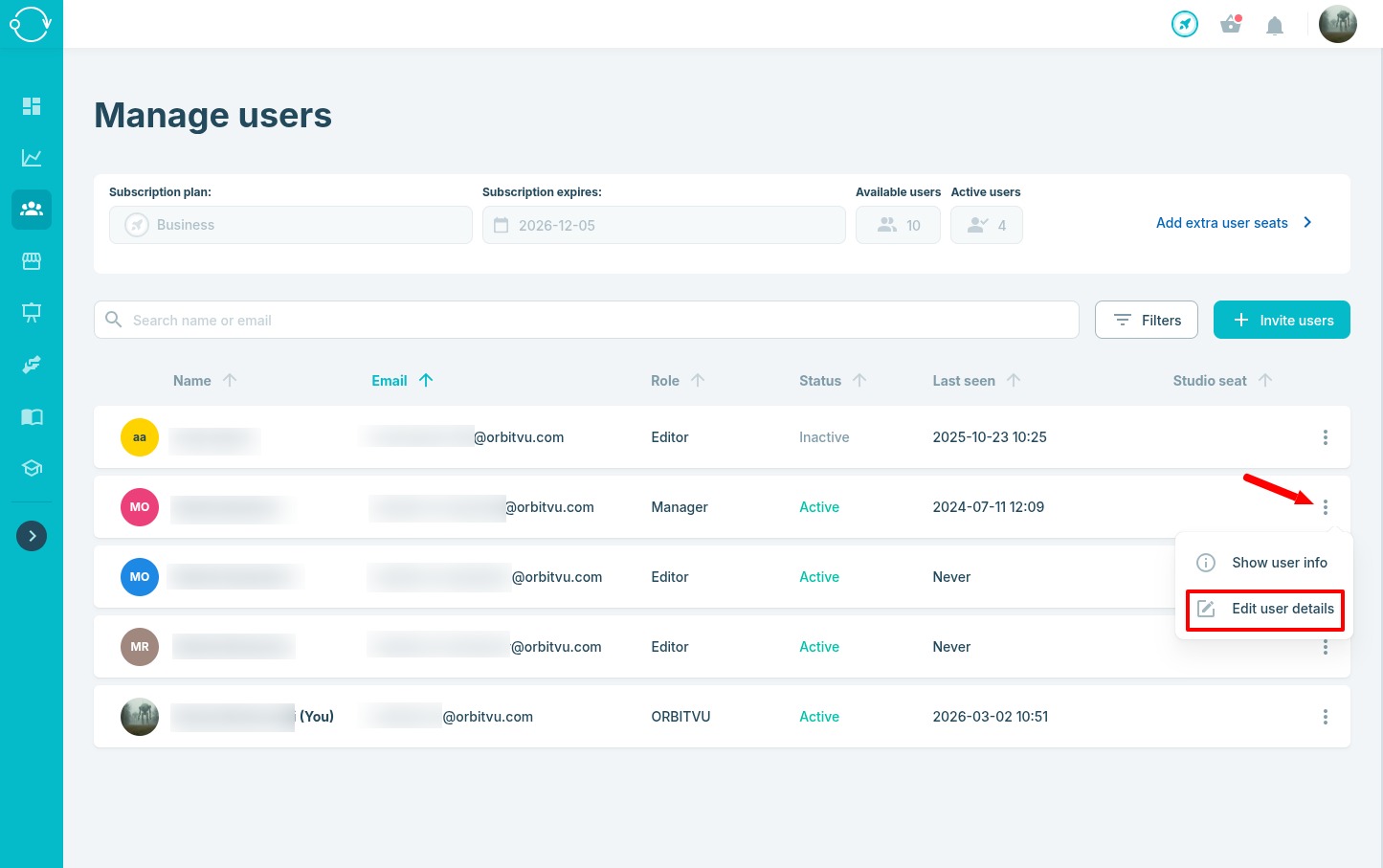
To change User role, visit Accounts page, select desired User and click the Edit user details option
In the edit form you can change the role of the selected User
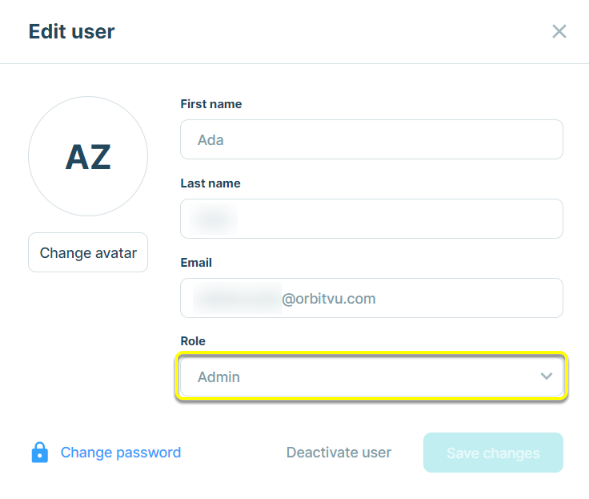
There has to be at least one user with Admin role within the Company account.