

Uploading Orbitvu presentations to the shop
Send presentations straight from Orbitvu Station with the Remote Upload URL, or upload .ovus files on the product edit page.
Uploaded presentations are stored in pub/media/orbitvu/presentations on the Magento server.
Sending presentations from Orbitvu Station
-
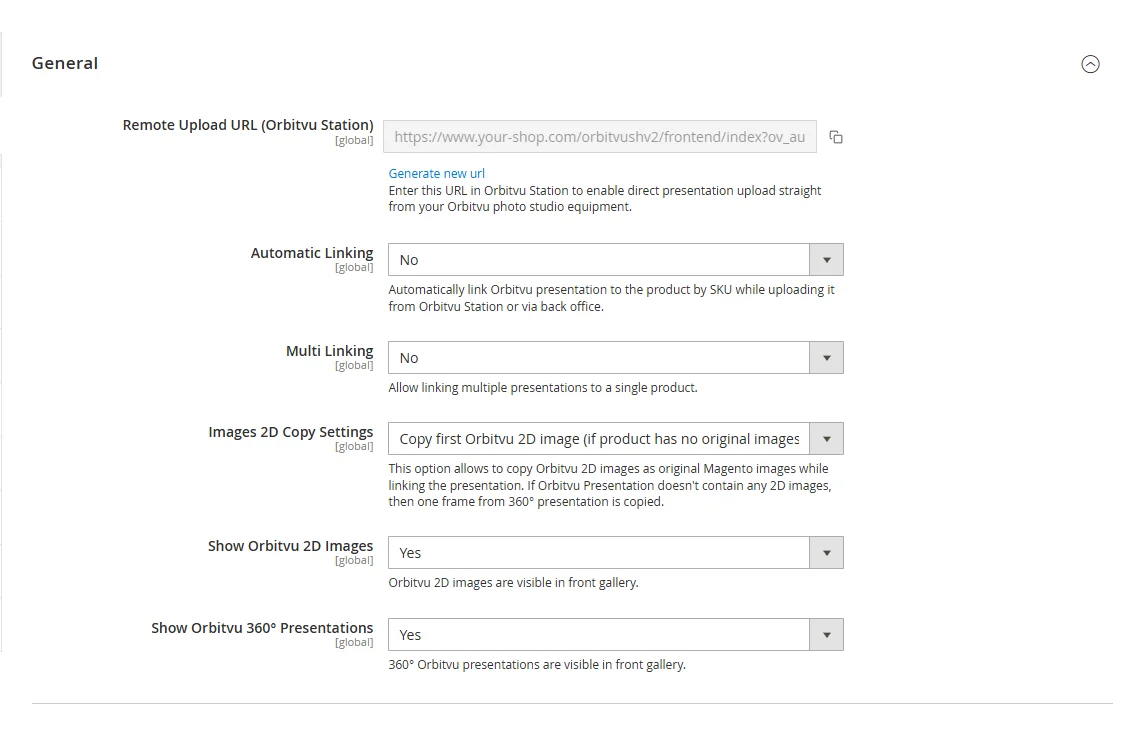
In the Magento back office go to Stores → Configuration → Orbitvu Self Hosted V2 → General and copy the Remote Upload URL (Orbitvu Station) (use the copy icon next to the field).
-
In Orbitvu Station go to Menu → Preferences, open the Upload tab, paste the URL in the Magento section and click OK.
From now on, Orbitvu Station can send presentations directly to the shop. With Automatic Linking enabled, a sent presentation is linked to the product with the same SKU right away.
The URL contains a secret key: do not share it. If it was disclosed, click Generate new url under the field and paste the new URL into Orbitvu Station.
Uploading .ovus files in the back office
Presentations can also be uploaded without Orbitvu Station, as .ovus files (compressed Orbitvu presentations).
- Go to Catalog → Products and edit any product.
- Open the Orbitvu Self Hosted V2 section.
- In Upload new presentations click Choose Files and select one or more
.ovusfiles.
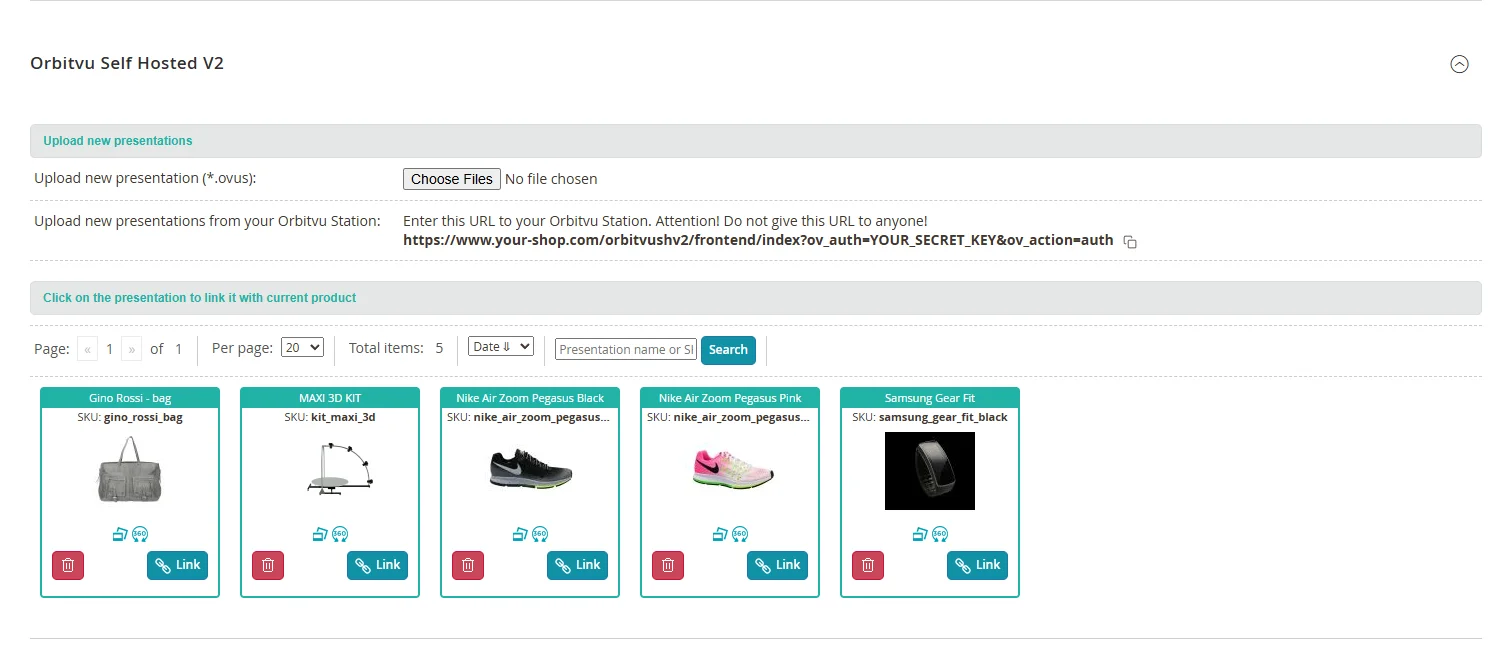
The same section shows the Remote Upload URL for Orbitvu Station.
When a presentation with the same folder name already exists, the uploaded one is saved under a new name, so an existing presentation is never overwritten.