

Health check
A secret URL that monitoring tools can call to check that the plugin can store presentations and that its jobs are not stuck.
The Health Check URL is in Stores → Configuration → Orbitvu Self Hosted V2 → Health Check. Click View health status to open it in the browser, or add it to a monitoring tool (for example an uptime monitor or Grafana).
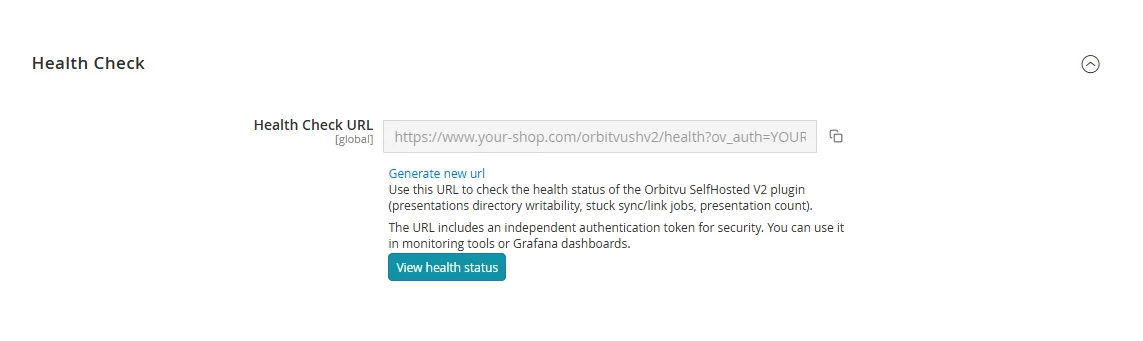
The URL answers with a JSON document:
{
  "status": "ok",
  "presentations_directory_writable": true,
  "auto_synch_locked": false,
  "auto_link_locked": false,
  "presentations_count": 42,
  "plugin_version": "2.0.0",
  "timestamp": "2026-05-20T10:30:00+00:00"
}| Field | Meaning |
|---|---|
status | ok, or degraded when the presentations directory is not writable or the database cannot be read. |
presentations_directory_writable | Whether the plugin can write to pub/media/orbitvu/presentations. |
auto_synch_locked, auto_link_locked | Whether synchronization or automatic linking is running at the moment (a lock that stays for a long time means a stuck job). |
presentations_count | Number of presentations in the shop. |
plugin_version | Installed plugin version. |
HTTP status codes: 200 – ok, 503 – degraded, 401 – missing or wrong key.
The URL contains a secret key (ov_auth). Monitoring tools can send the key in the X-Orbitvu-Key HTTP header instead, which keeps it out of server access logs. Generate new url creates a new key.