

Batch operations (linking and synchronizing)
Link many presentations to products by SKU at once and keep the presentations list in line with the files on the server, from the back office, a cron job or the command line.
The batch operations are in Stores → Configuration → Orbitvu Self Hosted V2 → Batch Actions.
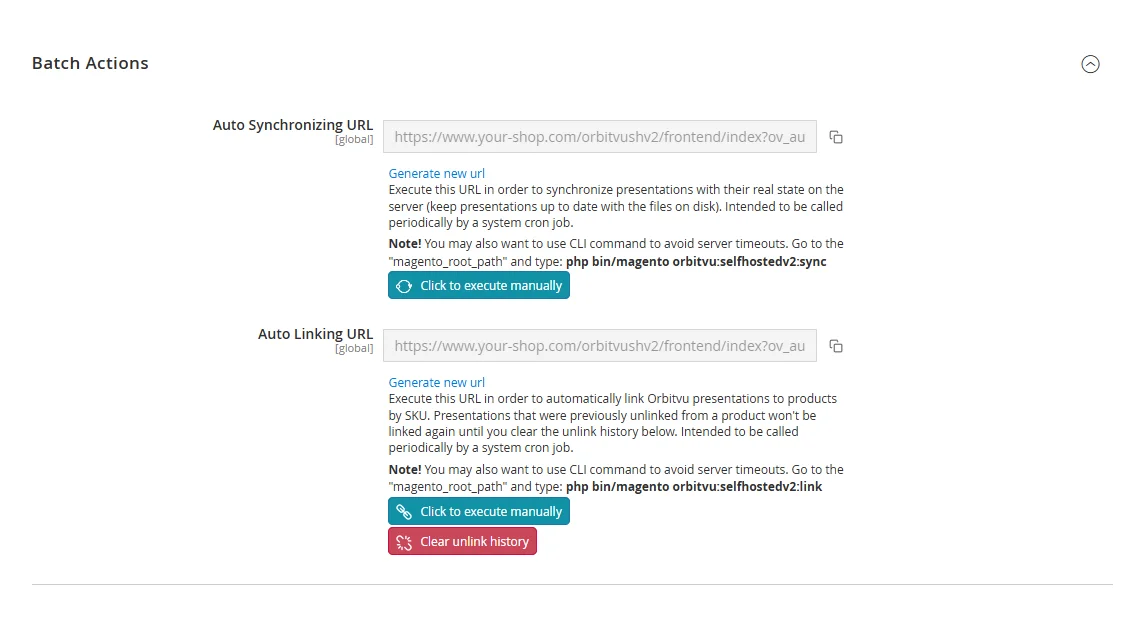
Automatic linking by SKU
Automatic linking compares the SKU of each presentation with the SKU of the Magento products. When they match, the presentation is linked to the product. The SKU of a presentation is set in Orbitvu Station when the project is created.
Run it in one of these ways:
- click Click to execute manually under Auto Linking URL,
- call the Auto Linking URL periodically from a cron job of your server,
- run the command in the Magento root directory:
bin/magento orbitvu:selfhostedv2:link.
With many products and presentations, use the command or the cron job: they are not limited by the web server timeout.
A presentation that was unlinked from a product by hand is not linked to it again by automatic linking. To allow it again, click Clear unlink history.
To link presentations already while they are uploaded, enable Automatic Linking in the General section.
Synchronizing presentations
Synchronization reads the presentation folders in pub/media/orbitvu/presentations again and updates the list of presentations in the shop: it adds folders copied to the server by hand and removes the presentations whose folders were deleted.
Run it in one of these ways:
- click Click to execute manually under Auto Synchronizing URL,
- call the Auto Synchronizing URL periodically from a cron job,
- run
bin/magento orbitvu:selfhostedv2:sync.
The URLs contain secret keys: do not share them. Generate new url creates a new key; update your cron jobs afterwards.