

Health check
A secret URL that monitoring tools can call to check that the plugin can connect to ORBITVU CLOUD and that its jobs are not stuck.
The Health Check URL is in Stores → Configuration → Orbitvu Cloud → Health Check. Click View health status to open it in the browser, or add it to a monitoring tool (for example an uptime monitor or Grafana).
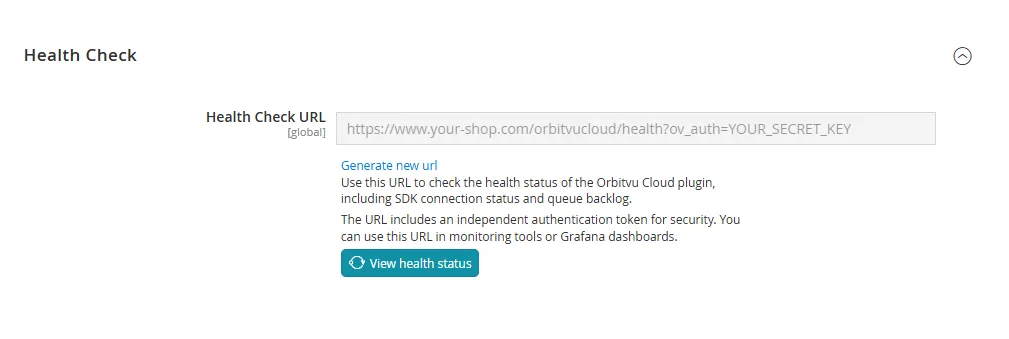
The URL answers with a JSON document:
{
  "status": "ok",
  "sdk_connected": true,
  "auto_synch_locked": false,
  "auto_link_locked": false,
  "presentations_count": 42,
  "plugin_version": "2.1.0",
  "timestamp": "2026-10-30T10:30:00+00:00"
}| Field | Meaning |
|---|---|
status | ok, or degraded when the plugin cannot connect to ORBITVU CLOUD. |
sdk_connected | Whether the plugin can connect to the ORBITVU SUN API with the license key. |
auto_synch_locked, auto_link_locked | Whether synchronization or automatic linking is running at the moment (a lock that stays for a long time means a stuck job). |
presentations_count | Number of presentations linked to products. |
plugin_version | Installed plugin version. |
timestamp | Time of the check. |
HTTP status codes: 200 – ok, 503 – degraded, 401 – missing or wrong key.
The URL contains a secret key (ov_auth): do not share it. Monitoring tools can send the key in the X-Orbitvu-Key HTTP header instead, which keeps it out of server access logs. Generate new url creates a new key; update your monitoring tools afterwards.